Intelligent Processes 🤝 Machine Learning
Automate the busywork.
Focus on what matters.
AI implementation, consulting, and automation services — tailor-made AI engines for your day-to-day.

I build systems to automate busywork so we can focus on what matters. Sales Engineer in the Real Estate tech world by day. Creator and builder in between. This is my playground for ideas, experiments, and past projects.
Let's chat about AI implementation and automation consulting.
Work with me
AI Implementation & Automation
AI Implementation & Consulting
Bring AI into your actual workflows — not a chatbot bolted on the side. Strategy and hands-on builds: LLM integrations, custom agents, MCP servers, and AI-assisted processes wired into the tools your team already uses.
Read more →Automation Services
Automate the busywork end to end — outbound messaging, CRM and data pipelines, workflow automation, and internal tools that quietly run your day-to-day so you don't have to.
Read more →Getting started with AI & automation
What are the first steps for AI transformation?
Start with where the hours actually go, not with the technology. Track the repetitive work your team does for a week, pick the single highest-volume task that follows consistent rules, and automate that one end to end before touching anything else. A first project should ship in weeks, not quarters, and should prove its value in time saved. Once one workflow runs reliably, the patterns and plumbing carry over to the next.
What is AI implementation and consulting?
It means bringing AI into the workflows a business already runs, rather than bolting a chatbot onto the side. In practice that is strategy plus hands-on building: wiring large language models into existing tools, building custom agents that do real work, standing up Model Context Protocol (MCP) servers, and adding AI-assisted steps to processes a team already follows.
What kinds of business workflows can be automated?
Common examples include agents that read large volumes of records and surface only what is worth acting on, enrichment pipelines that clean and route data into a CRM, multi-channel outreach that tracks replies and hands warm conversations to a human, event monitors that trigger follow-ups automatically, and scheduled jobs that reconcile data and only escalate when a human is genuinely needed.
Do you have to replace your existing tools to adopt AI?
Usually not. Most of the value comes from connecting the tools a team already uses — the CRM, the spreadsheets, the messaging platform, the internal database — rather than migrating to something new. A good automation slots into the current process invisibly: the same people work in the same places, with the repetitive steps handled in the background.
What is an MCP server?
A Model Context Protocol (MCP) server gives AI assistants such as Claude, Cursor, or ChatGPT a safe, structured way to use real systems — internal APIs, databases, and messaging platforms. Instead of an assistant that can only talk, you get one that can take real actions inside a business, with the permissions and boundaries you define.
How do you know if a workflow is worth automating?
Look for work that is high-volume, rule-based, and currently done by hand — the tasks people describe as tedious rather than judgment-heavy. If a process runs often, follows steps you could write down, and touches systems that expose an API, it is usually a strong candidate. Anything that is rare, highly contextual, or changes shape every time is better left to a human. If you want a second opinion on where to start, book a call and describe what eats your team’s hours.
Featured Project
Turn your Mac into an
AI-powered iMessage machine.
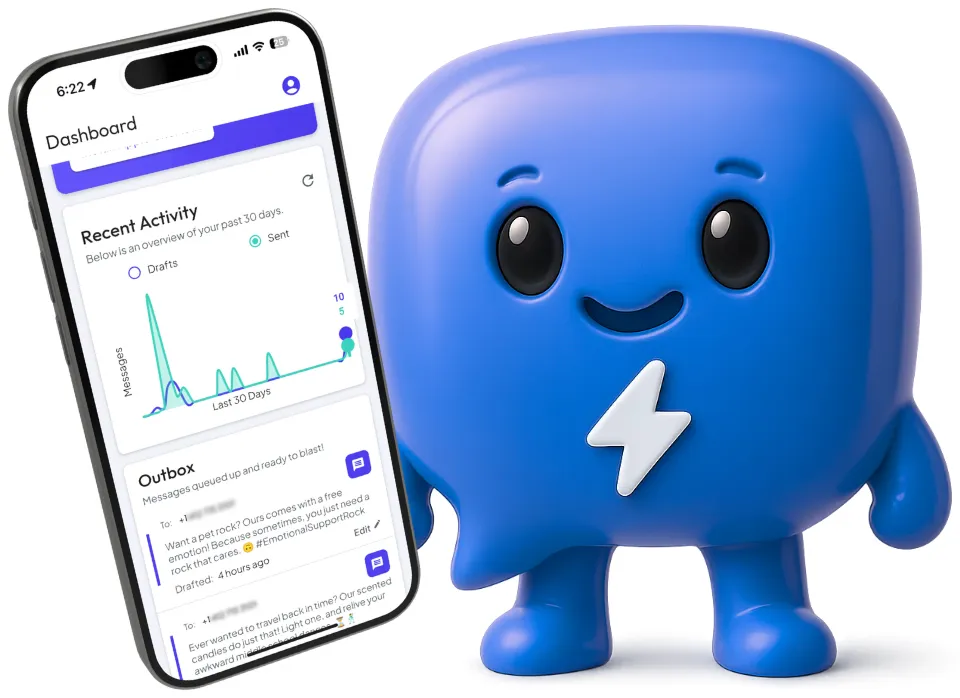
autoMessage lets Claude, Cursor, ChatGPT, and any MCP client read and send iMessages from the Apple ID you already own — with 3× the reply rates of SMS and none of the A2P paperwork.
7-day free trial. $29/mo after. Cancel anytime.